# raycast
Issues:
* This is currently in WIP, this means the feature can be buggy/non functional at times.
* The current raycasting system is limited to detecting parts and does not support terrain or character interactions.
* Max distance the ray can reach is `6000` `studs`
`table` -> `result_table`
| Field | Type | Description |
| ----------- | -------------------------------------------- | --------------------------------------------------------------------------- |
| `hit` | `bool` | `true` if the ray hit an object, `false` otherwise. |
| `distance` | `number` | The distance from `point_a` to the hit point. |
| `origin` | `vector3` | The starting position of the ray (`point_a`). |
| `hit_part` | `instance` | The object or part that was hit by the ray. `nil` if hit is `false`. |
| `hit_point` | `vector3` | The position where the ray intersected the object. `nil` if hit is `false`. |
`raycast` `send(``point_a`, `point_b`, `ignore``)` -> result\_table
Casting an invisible ray from a `vector3` in a specified direction with a set length. After you caste the ray, you can detect if it intersects with a basepart.
| Name | Type | Description |
| --------- | ------------------------------------------- | ---------------------------------------------------------- |
| `point_a` | `vector3` | The starting position of the ray. |
| `point_b` | `vector3` | The ending position of the ray. |
| `ignore` | `table` | A list of instances that should be ignored by the raycast. |
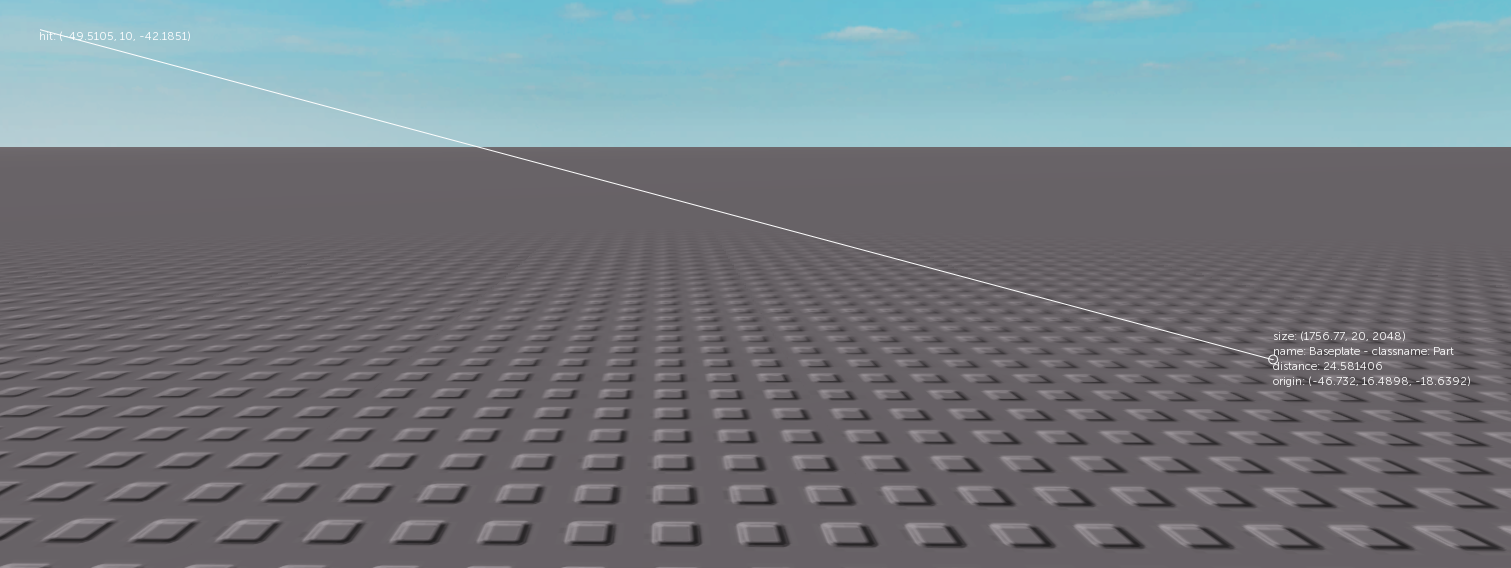
`raycast` `setnext_ray_debug()` -> void
Enables visual debugging for the next raycast.
* When this function is called, the next raycast performed will be displayed visually (e.g., as a line in the environment).
* This is useful for troubleshooting and verifying the raycast's behavior.
An example of how the debug visuals will appear.
`raycast` `clear_logs()` -> void
Clears all debug logs generated by `setnext_ray_debug`.
* Removes any visual representations or logged information created during debugging.
## Example
```lua
local workspace = game:get_service("Workspace")
local camera = workspace:find_first_child_class("Camera")
local cam_lookvector = camera.camera_lookvector
local cam_pos = camera.camera_position
local ray_target_pos = cam_pos:add(cam_lookvector:multiply_scalar(5000))
local random_part = workspace:find_first_child_class("Part")
raycast.setnext_ray_debug()
local results = raycast.send(cam_pos, ray_target_pos, { random_part }) -- will perform a raycast from the camera's position towards the camera's look-at direction
print(results)
print(results.origin.x, results.origin.y, results.origin.z) -- start position
if results.hit then
print(results.hit_point.x, results.hit_point.y, results.hit_point.z) -- end position
print(results.hit_part.name, results.hit_part.class_name)
end
wait(10000) -- 10 seconds
raycast.clear_logs()
```